Blog

Your blog category

Enhancing Smart Home Devices: The Benefits of Adding LCD Screens

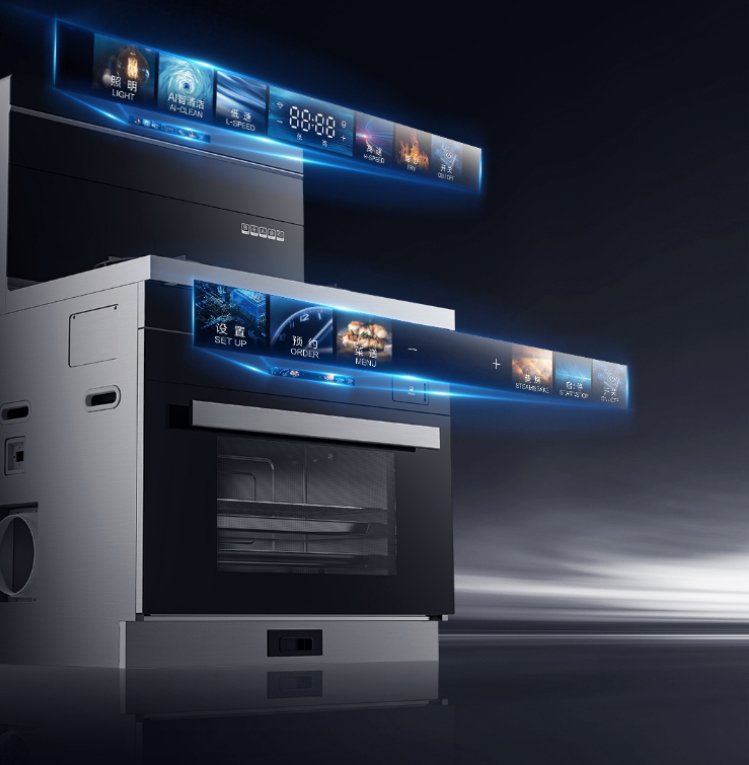
In the age of smart technology, upgrading your home devices with the latest advancements can significantly improve functionality and user experience. One such upgrade that stands out is the integration of LCD screens. This article explores how adding LCD screens to your smart home devices can revolutionize their functionality and user interaction, enhancing everything from convenience to security.

1. User-Friendly Interfaces

Intuitive Interaction

Imagine walking into your smart home and being greeted by a user-friendly interface on your thermostat, security system, or home automation controller. LCD screens provide clear and intuitive controls that make it easier for you to interact with your devices. Instead of fumbling through complex menus or apps, you can see and adjust settings directly on the screen, making daily interactions smoother and more efficient.

Visual Clarity

The vibrant and clear display of an LCD screen ensures that you can read information easily, even from a distance. Whether you’re checking the temperature, viewing security footage, or adjusting lighting settings, the high-resolution display ensures that you don’t miss any details. This visual clarity enhances your overall experience, making smart home management more accessible for everyone in the household.

2. Real-Time Data Display

Instant Information

One of the standout features of integrating LCD screens into smart home devices is the ability to display real-time data. You can instantly see important information such as energy consumption, security alerts, weather updates, and more. This immediate access to data helps you make informed decisions about your home’s operation and security.

Enhanced Monitoring

Imagine having a smart thermostat with an LCD screen that displays real-time energy usage. This can help you track and reduce your energy consumption, ultimately saving you money on utility bills. Similarly, a security system with an LCD screen can show live camera feeds, allowing you to monitor your home’s safety at a glance. This enhanced monitoring capability provides peace of mind and greater control over your home environment.

3. Customization and Personalization

Tailored Experience

LCD screens allow for a high degree of customization and personalization. You can set up your smart devices to display the information most relevant to you. For example, your smart home hub could show the weather forecast, upcoming calendar events, and recent notifications all on one screen. This tailored experience makes managing your smart home more convenient and enjoyable.

Adaptive Controls

With LCD screens, you can customize the interface to fit your preferences. Whether it’s adjusting the brightness of the display, changing the layout of controls, or selecting different themes, the adaptability of LCD screens ensures that your smart home devices meet your specific needs. This level of customization enhances the user experience and makes your smart home truly feel like your own.

4. Improved Security and Safety

Clear Alerts and Notifications

Safety is a top priority in any home, and LCD screens can significantly enhance this aspect. Imagine receiving a clear, visual alert on your security system’s LCD screen when there’s a potential intrusion or fire hazard. These real-time alerts ensure that you can act quickly to protect your home and loved ones. The visual nature of LCD screens makes it easy to recognize and respond to important notifications.

User Verification

In addition to alerts, LCD screens can improve security through user verification. For example, smart locks with integrated LCD screens can display a keypad for entering PIN codes, or even a facial recognition system. This adds an extra layer of security, ensuring that only authorized individuals can access your home. The ability to visually verify and control access enhances overall security and provides peace of mind.

Smart Home Security

5. Seamless Integration with Smart Ecosystems

Unified Control

Adding LCD screens to your smart home devices can help unify your smart ecosystem. For instance, a central control hub with an LCD screen can provide a single interface to manage all your connected devices. From adjusting the thermostat to controlling lighting and checking security cameras, everything can be managed from one central location. This seamless integration simplifies smart home management and enhances the overall user experience.

Interactive Automation

LCD screens can also enhance automation by providing interactive controls. Imagine setting up complex automation routines directly from an LCD interface, with clear visual feedback guiding you through the process. This makes it easier to create and adjust automation rules, ensuring that your smart home operates exactly how you want it to.

Smart Home Ecosystem

Conclusion

Integrating LCD screens into your smart home devices offers numerous benefits that enhance functionality, usability, and security. User-friendly interfaces make daily interactions more intuitive and efficient. Real-time data display provides instant access to important information, enhancing your ability to monitor and control your home. Customization and personalization options allow you to tailor your smart home experience to your preferences. Improved security and safety features ensure that you can protect your home and loved ones effectively. Finally, seamless integration with smart ecosystems provides unified control and enhances automation capabilities.

As technology continues to advance, the role of LCD screens in smart home devices will become increasingly essential. By embracing this upgrade, you can transform your smart home into a more efficient, secure, and user-friendly environment. So, if you’re looking to enhance your smart home, consider the significant advantages that LCD screens can offer.
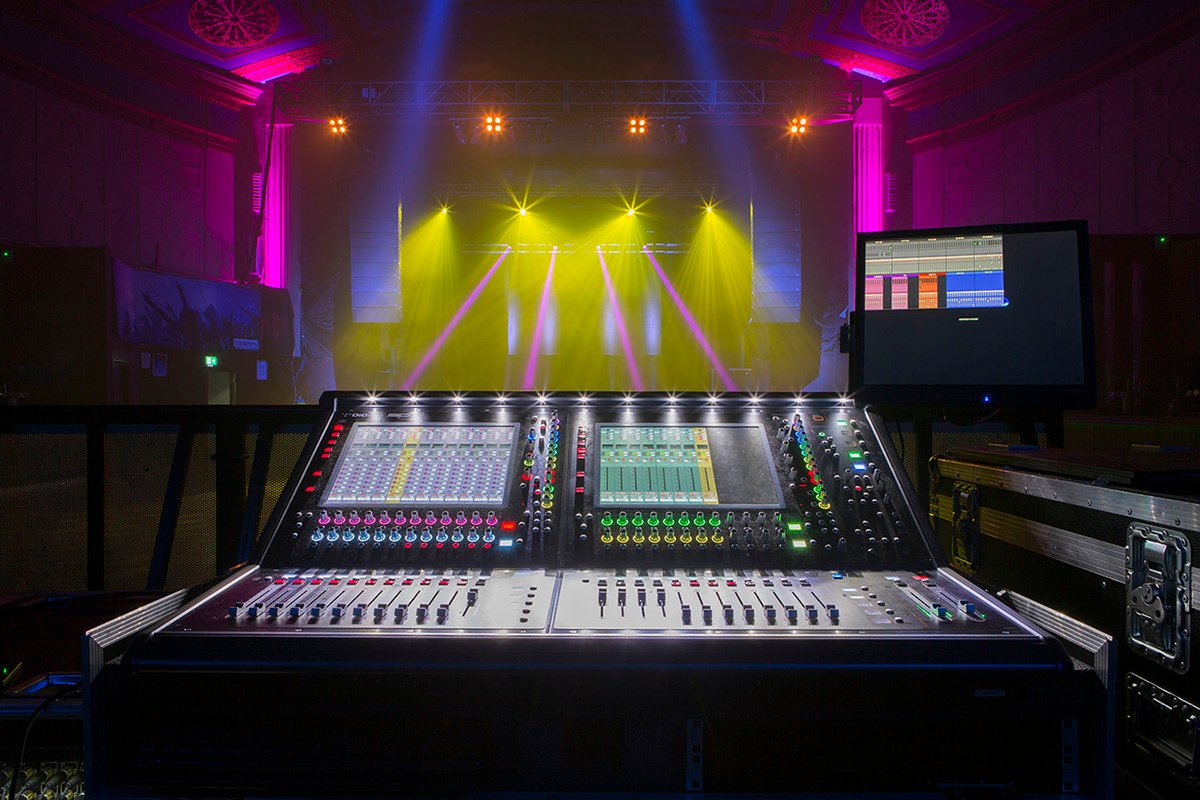
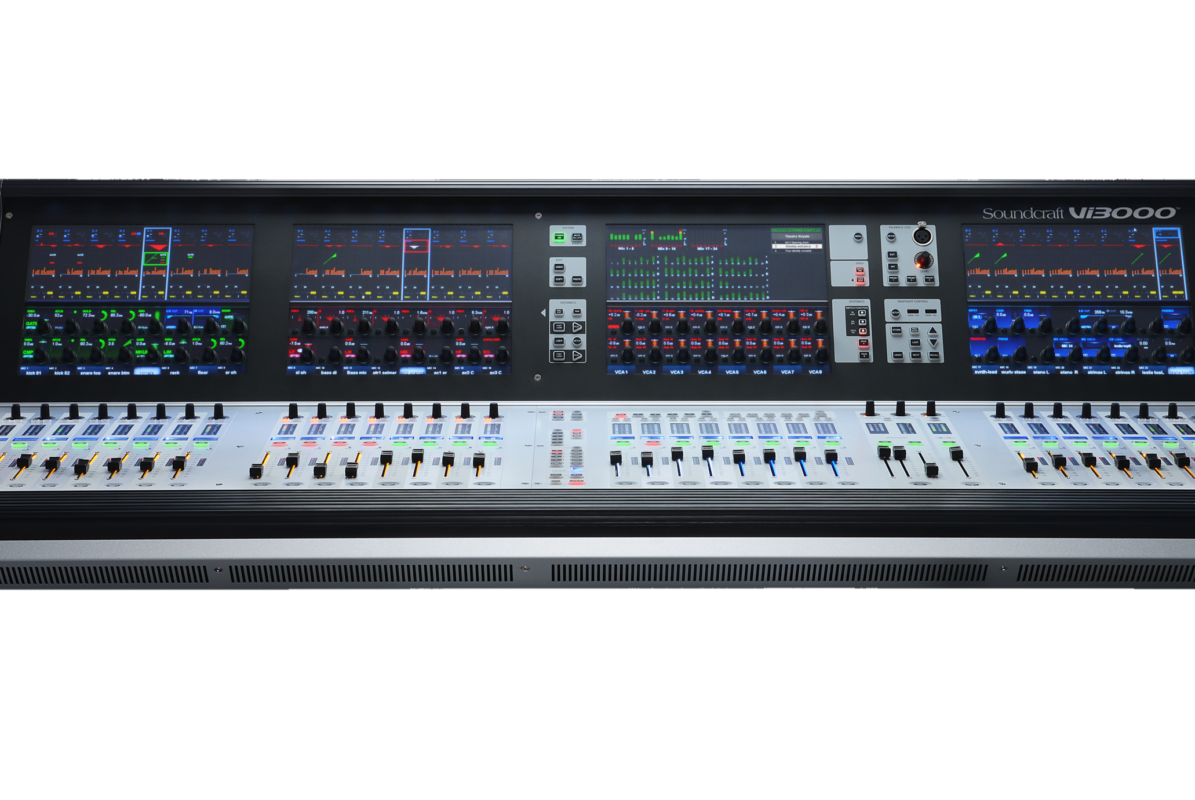
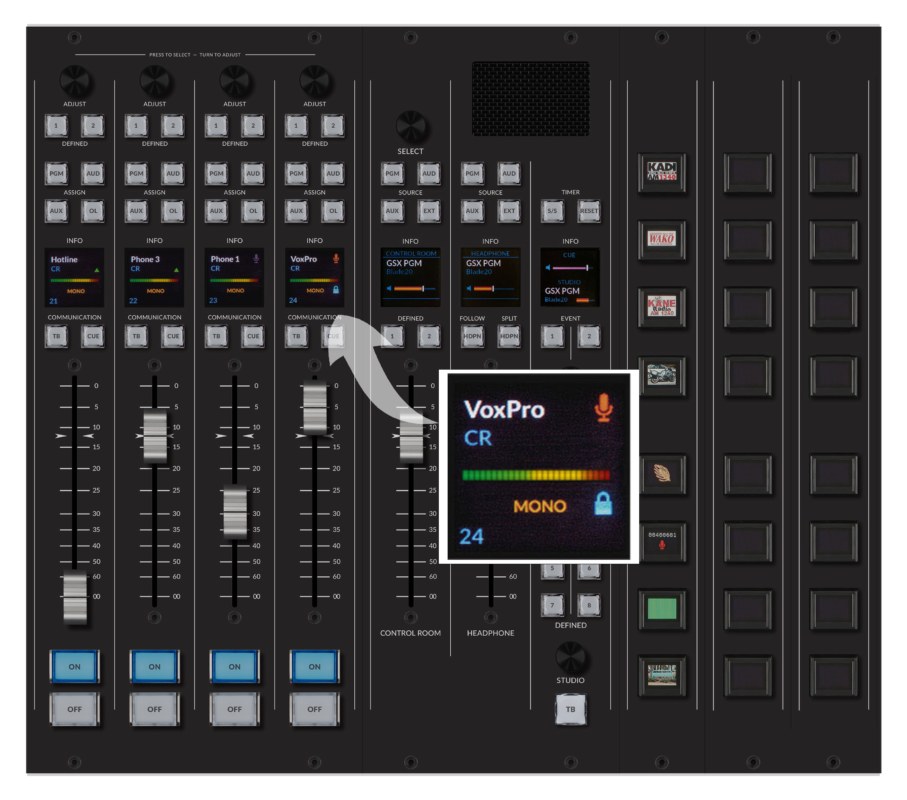
In the detail-oriented world of audio engineering, precision and efficiency are key. Upgrading your mixing consoles with LCD screens can bring about significant improvements, transforming your workflow and enhancing the overall quality of your productions. This article explores the various benefits of integrating LCD screens into mixing consoles, highlighting their impact on visual feedback, interface customization, ergonomics, and operational efficiency.

1. Enhanced Visual Feedback

Real-Time Monitoring

Imagine you’re at the helm of a live sound event or recording session. An LCD screen integrated into your mixing console provides real-time visual feedback, allowing you to monitor audio levels, equalization settings, and other critical parameters with unmatched clarity. This precise monitoring ensures that you can make instantaneous adjustments to maintain optimal sound quality, whether you’re in a studio or at a live venue.

Detailed Displays

The vibrant and high-resolution display of an LCD screen ensures that you can see even the smallest details. This is particularly useful when you’re working with intricate mixes or need to fine-tune specific frequencies. The ability to visualize waveforms, levels, and settings in detail helps you achieve a more polished and professional sound.

Improved Accuracy

Visual feedback from an LCD screen enhances your ability to make precise adjustments. You can see exact levels and settings, reducing the margin for error. This accuracy is crucial in audio engineering, where even minor tweaks can significantly impact the final output.

2. Customizable Interface

Tailored Layouts

One of the standout features of LCD screens is their ability to offer customizable interfaces. You can configure the screen to display the controls and information that are most relevant to your workflow. Whether it’s compressor settings, reverb parameters, or channel levels, having a tailored layout improves efficiency and reduces the time spent navigating through menus.

User-Specific Settings

Different engineers have different preferences. An LCD screen allows for user-specific settings, where each engineer can customize the interface according to their needs. This personalization not only enhances comfort and efficiency but also makes it easier for multiple users to work on the same console without disrupting each other’s workflow.

Versatile Functionality

The versatility of an LCD screen means you can switch between different views and modes easily. For example, you can toggle between a detailed view of a single channel and an overview of the entire mix. This flexibility allows you to adapt the interface to different stages of the mixing process, from initial setup to final tweaks.

3. Improved Ergonomics

Streamlined Layout

Traditional mixing consoles can be cluttered with numerous knobs and faders, which can be overwhelming. Integrating an LCD screen can streamline the layout, making it more intuitive and user-friendly. This ergonomic improvement reduces the physical and cognitive load on the engineer, allowing for more efficient and comfortable operation.

Enhanced Accessibility

LCD screens improve accessibility by providing clear and organized displays. Controls and settings are easier to locate and adjust, which is particularly beneficial during live performances where quick and accurate changes are essential. The enhanced accessibility helps reduce errors and ensures a smoother operation.

Reduced Clutter

By consolidating multiple controls and displays into a single screen, LCD screens help reduce the physical clutter on the console. This not only makes the console more aesthetically pleasing but also allows for a more focused and less distracting work environment.

4. Operational Efficiency

Streamlined Workflow

Integrating LCD screens into your mixing console streamlines your workflow by providing a centralized interface for all your controls and settings. You can manage multiple parameters from one screen, reducing the need for separate devices and interfaces. This consolidation simplifies the workflow, making it more efficient and less prone to errors.

Faster Adjustments

The real-time visual feedback and intuitive controls provided by LCD screens enable faster adjustments. You can quickly address issues, make changes, and implement tweaks without delay. This rapid response capability is essential during live events and recording sessions where timing is critical.

Enhanced Collaboration

LCD screens facilitate enhanced collaboration among audio engineers and other team members. With clear and accessible displays, team members can easily share information and coordinate actions. This improved communication leads to more cohesive and synchronized efforts, enhancing the overall quality of the production.

Conclusion

Integrating LCD screens into your mixing consoles offers numerous benefits that enhance functionality, usability, and efficiency. Enhanced visual feedback provides real-time monitoring and detailed displays, improving accuracy and sound quality. Customizable interfaces allow for tailored layouts and user-specific settings, increasing comfort and workflow efficiency. Improved ergonomics result in a streamlined layout and reduced clutter, enhancing accessibility and reducing errors. Lastly, operational efficiency is significantly boosted by streamlined workflows, faster adjustments, and improved team collaboration.

As technology continues to advance, the role of LCD screens in mixing consoles will become increasingly essential. By embracing this upgrade, you can transform your audio engineering operations into a more efficient, reliable, and user-friendly environment. If you’re looking to enhance your mixing consoles, consider the significant advantages that LCD screens can offer, and take your sound production capabilities to the next level.

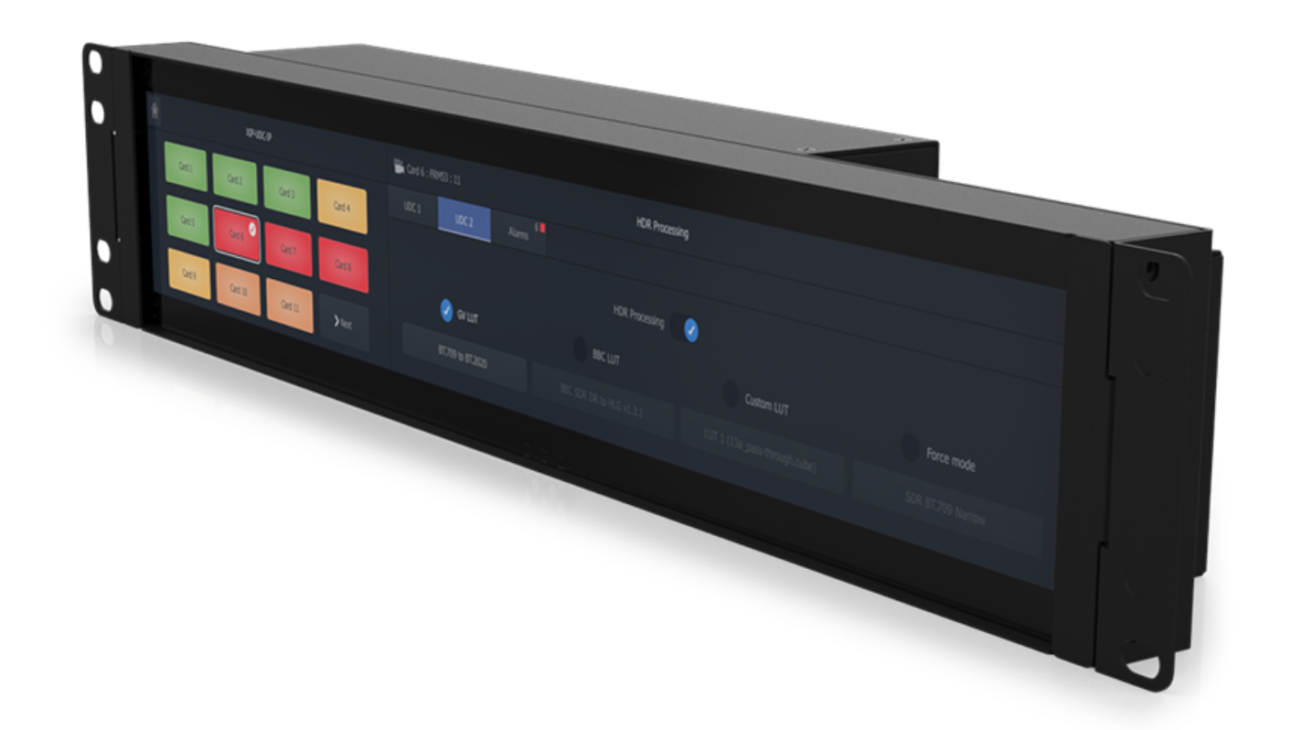
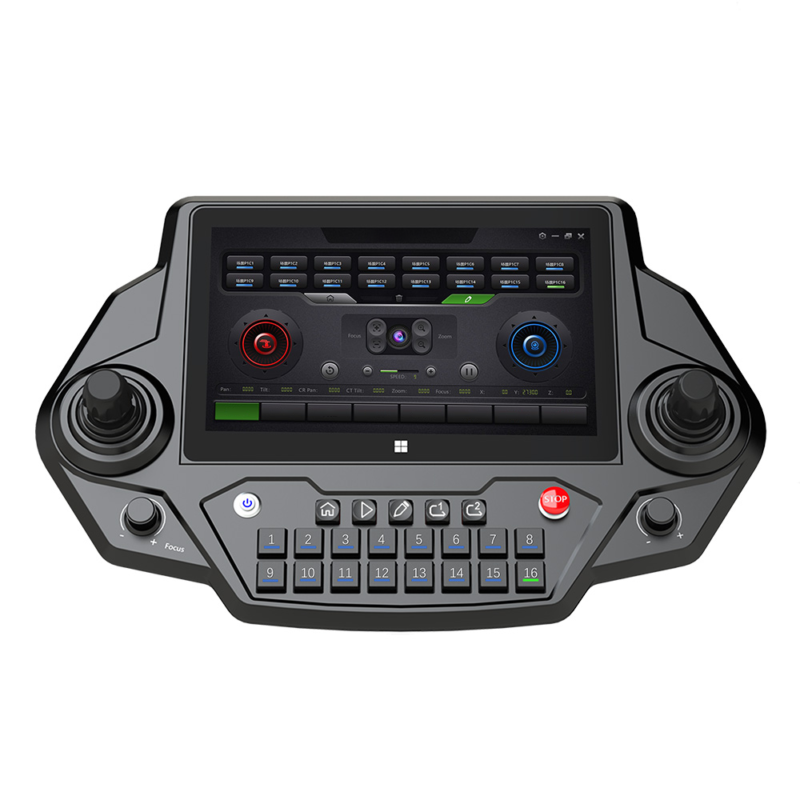
In broadcasting, precision, reliability, and efficiency are paramount. Integrating LCD screens into broadcast control panels can significantly enhance functionality and user experience, transforming how you manage live broadcasts and production workflows. This article explores the various benefits of adding LCD screens to broadcast control panels, highlighting their impact on real-time monitoring, reliability, user experience, and overall operational efficiency.

1. Real-Time Monitoring

Accurate and Immediate Feedback

In the fast-paced environment of live broadcasting, real-time monitoring is crucial. An LCD screen on your control panel provides accurate and immediate visual feedback, allowing you to monitor video feeds, audio levels, and broadcasting schedules with unparalleled precision. This real-time data ensures that you can make quick adjustments to maintain broadcast quality and prevent errors.

Comprehensive Overview

LCD screens offer a comprehensive overview of all the critical elements of a broadcast. You can display multiple video feeds, graphics, and data streams simultaneously, giving you a clear picture of the entire production. This comprehensive view helps you coordinate different aspects of the broadcast more effectively, ensuring a smooth and seamless operation.

Enhanced Multitasking

With the ability to display various pieces of information at once, LCD screens enable enhanced multitasking. You can keep an eye on live feeds, manage transitions, and monitor audio levels all from one screen. This capability is especially valuable during live events, where quick and efficient multitasking is essential to maintaining broadcast integrity.

2. Increased Reliability

Durability and Longevity

LCD screens are known for their durability and longevity, making them a reliable choice for broadcast control panels. These screens are built to withstand continuous use, reducing the need for frequent replacements and repairs. This reliability ensures that your control panels are always operational, minimizing downtime and ensuring consistent broadcast quality.

Consistent Performance

The consistent performance of LCD screens is critical in the broadcasting industry. Unlike older technologies that may suffer from flickering or image degradation, LCD screens provide clear and stable displays. This consistency is vital for maintaining high production standards and ensuring that every broadcast runs smoothly.

Reduced Maintenance Costs

The durability of LCD screens translates to reduced maintenance costs. With fewer repairs and replacements needed, you can save on operational expenses over time. This cost-effectiveness allows you to invest in other areas of your production, enhancing overall quality and efficiency.

3. Enhanced User Experience

Intuitive Controls

LCD screens enhance the user experience by providing intuitive controls and easy-to-read displays. The touch interface of many LCD screens allows you to navigate menus and adjust settings quickly and effortlessly. This intuitive interaction makes it easier for operators to manage complex broadcast functions, reducing the learning curve and increasing productivity.

Customizable Interface

The customizable nature of LCD screens allows you to tailor the interface to your specific needs. You can configure the screen to display the most relevant information, such as live feeds, graphics, and control settings, in a layout that suits your workflow. This customization improves efficiency by ensuring that you have all the necessary tools at your fingertips.

Improved Visual Clarity

The high resolution and vibrant colors of LCD screens provide improved visual clarity, making it easier to distinguish between different video feeds and control elements. This clarity is crucial during live broadcasts, where every detail matters. The enhanced visibility helps you make precise adjustments and maintain the highest production standards.

4. Operational Efficiency

Streamlined Workflow

Integrating LCD screens into broadcast control panels streamlines your workflow by consolidating various functions into a single, easy-to-use interface. You can control multiple aspects of the broadcast from one screen, reducing the need for separate devices and interfaces. This consolidation simplifies the workflow, making it more efficient and less prone to errors.

Faster Response Times

The real-time data and intuitive controls provided by LCD screens enable faster response times. You can quickly address issues, make adjustments, and implement changes without delay. This rapid response capability is essential during live broadcasts, where every second counts.

Enhanced Collaboration

LCD screens facilitate enhanced collaboration among the broadcast team. With clear and accessible displays, team members can easily share information and coordinate actions. This improved communication leads to more cohesive and synchronized broadcasts, enhancing the overall quality of the production.

Conclusion

Integrating LCD screens into your broadcast control panels offers numerous benefits that enhance functionality, reliability, and user experience. Real-time monitoring capabilities provide accurate and immediate feedback, helping you maintain broadcast quality. The durability and consistent performance of LCD screens ensure reliable operation, reducing maintenance costs and downtime. Enhanced user experience through intuitive controls and customizable interfaces improves efficiency and productivity. Lastly, operational efficiency is significantly boosted by streamlined workflows, faster response times, and improved team collaboration.

As technology continues to advance, the role of LCD screens in broadcast control panels will become increasingly essential. By embracing this upgrade, you can transform your broadcasting operations into a more efficient, reliable, and user-friendly environment. If you’re looking to enhance your broadcast control panels, consider the significant advantages that LCD screens can offer, and take your production capabilities to the next level.

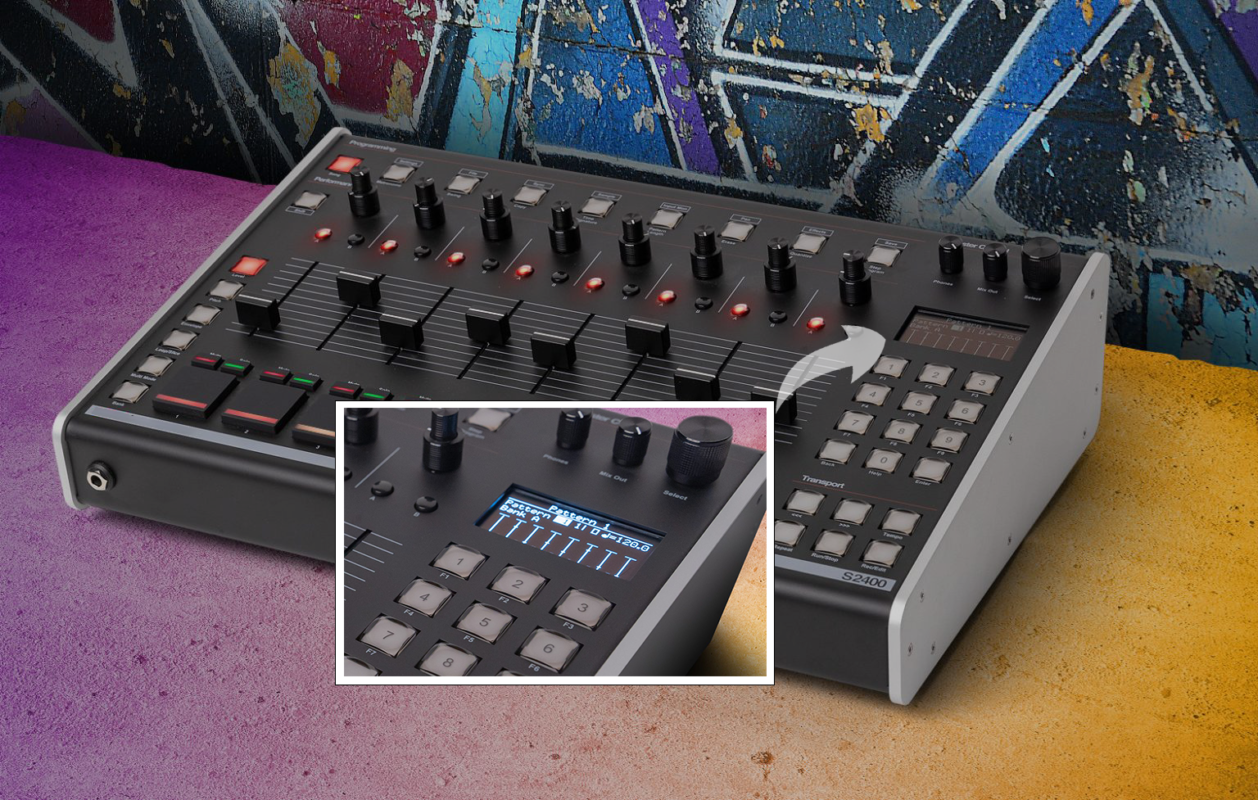
In the ever-evolving landscape of electronic music, staying ahead of the curve with cutting-edge technology can make a world of difference. One such technological upgrade that can significantly enhance your music equipment is the integration of LCD screens. This article explores how incorporating LCD screens into existing devices can revolutionize the functionality and user experience of synthesizers, drum machines, DJ controllers, and audio interfaces.

1. Synthesizers

Enhanced Parameter Control

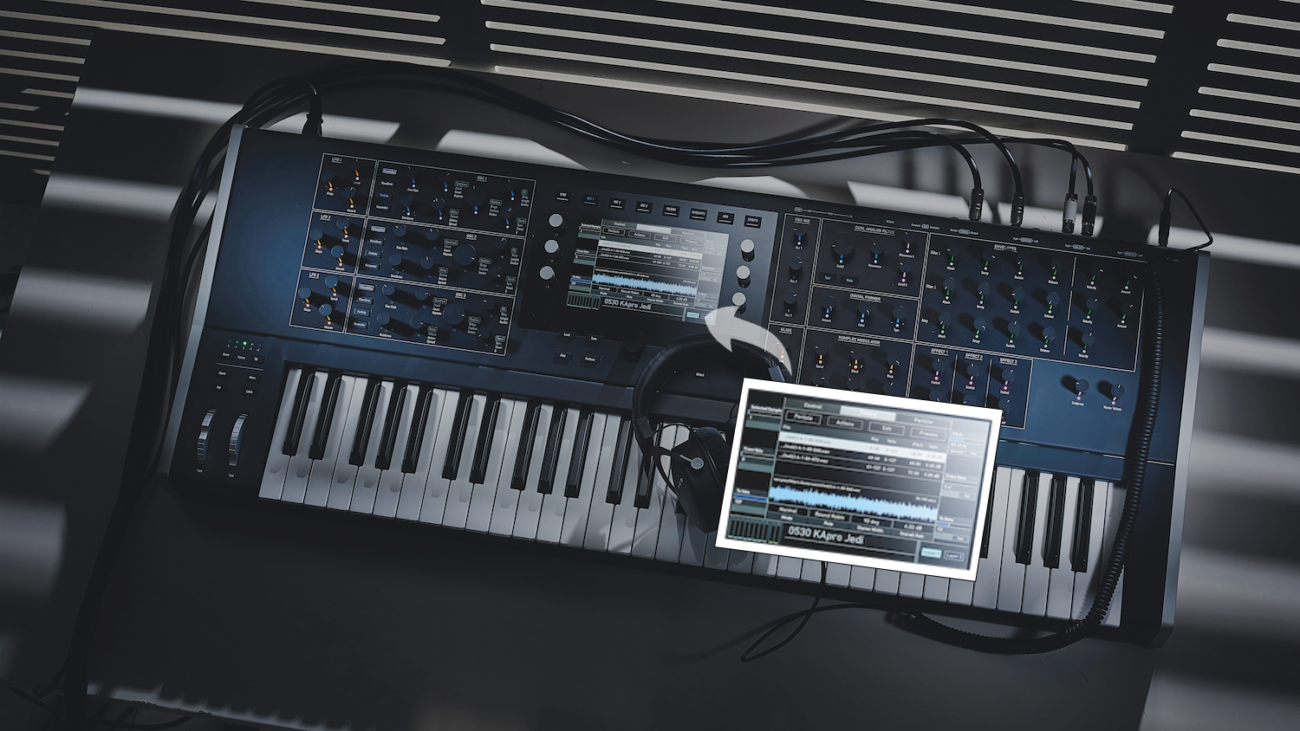
Imagine you’re in the middle of creating a complex soundscape. An LCD screen on your synthesizer provides a clear, detailed view of all your parameters. This allows you to make precise adjustments to oscillators, filters, and envelopes with ease. The real-time visual feedback ensures that you can fine-tune your sounds to perfection, leading to a more polished and professional production.

Customizable Display

With an LCD screen, you can customize the display to show only the information you need. Whether it’s waveforms, modulation settings, or effects, you can tailor the interface to suit your workflow. This customization not only streamlines your creative process but also reduces the time spent navigating through menus, allowing you to focus more on your music.

Improved Navigation

Navigating through complex menus and settings on a synthesizer can be daunting. An LCD screen simplifies this by providing an intuitive and user-friendly interface. You can quickly access different sections and parameters, making the entire experience smoother and more enjoyable. This ease of use is especially beneficial during live performances, where quick adjustments are often necessary.

2. Drum Machines

Real-Time Sequencing

In electronic music, drum machines are essential for creating beats and rhythms. An LCD screen on your drum machine offers real-time sequencing capabilities, allowing you to see your patterns and loops clearly. This visual representation makes it easier to arrange and edit your beats, leading to more dynamic and intricate rhythms.

Enhanced Editing Capabilities

Editing drum patterns can be a meticulous task. An LCD screen enhances this process by providing a detailed view of each step in your sequence. You can quickly identify and modify specific beats, adjust velocities, and apply effects with precision. This level of control ensures that your drum patterns are tight and well-crafted.

Streamlined Workflow

The addition of an LCD screen streamlines your workflow by reducing the need to memorize complex button combinations. You can access all the functions and settings directly from the screen, making the process more intuitive. This not only speeds up your production but also allows you to experiment more freely with your beats.

3. DJ Controllers

Visual Feedback

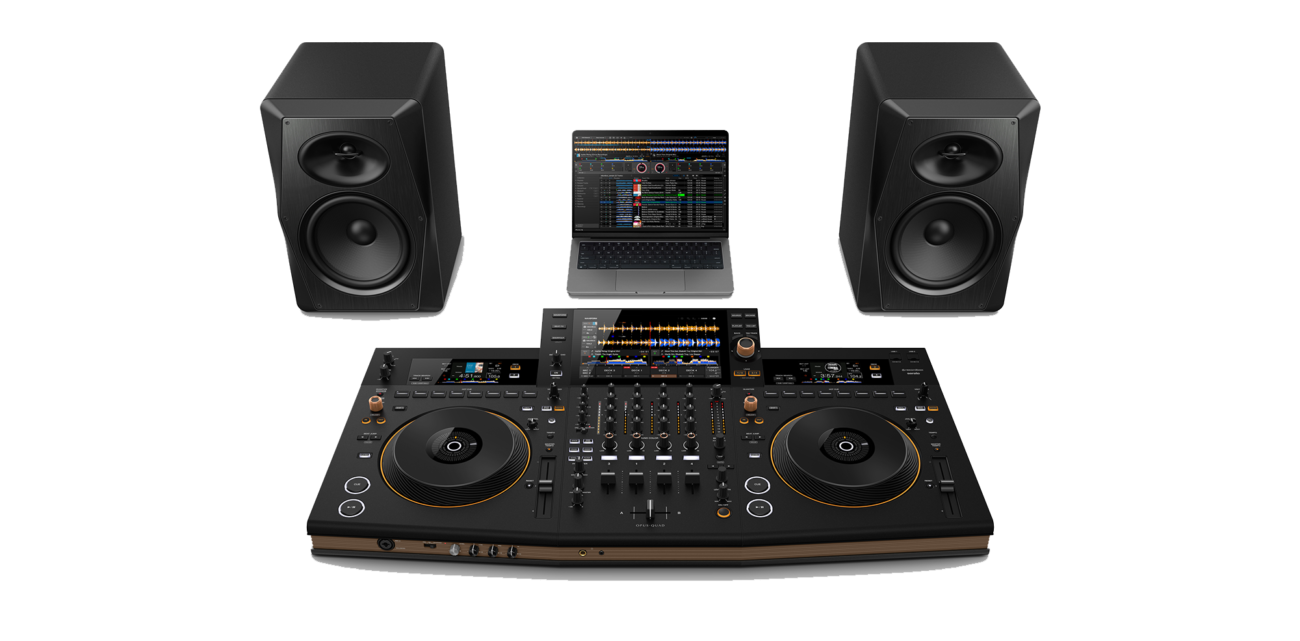
For DJs, visual feedback is crucial. An LCD screen on your DJ controller provides you with essential information such as track waveforms, cue points, and BPM. This allows you to mix tracks more accurately and creatively. The clear display helps you make seamless transitions and beatmatching, elevating your performance to a professional level.

Customizable Interface

LCD screens offer the ability to customize your interface, showing only the information you need. Whether it’s effects, loops, or track information, you can tailor the display to fit your style. This customization enhances your control over the music and allows for a more personalized DJing experience.

Enhanced Performance

Performing live requires quick and precise adjustments. An LCD screen on your DJ controller makes this easier by providing an intuitive interface. You can quickly access and manipulate effects, loops, and other parameters, ensuring a smooth and engaging performance. This ease of use allows you to focus more on the music and less on the equipment.

Conclusion

Incorporating LCD screens into your electronic music equipment can bring about numerous benefits. For synthesizers, they offer enhanced parameter control, customizable displays, and improved navigation. Drum machines benefit from real-time sequencing, enhanced editing capabilities, and a streamlined workflow. DJ controllers gain visual feedback, customizable interfaces, and enhanced performance capabilities.

Embracing LCD technology not only modernizes your equipment but also enhances its functionality and user experience. As technology continues to advance, integrating LCD screens will become increasingly essential in improving efficiency, creativity, and performance in the world of electronic music.

So, if you’re looking to upgrade your equipment, consider the significant advantages that LCD screens can offer.
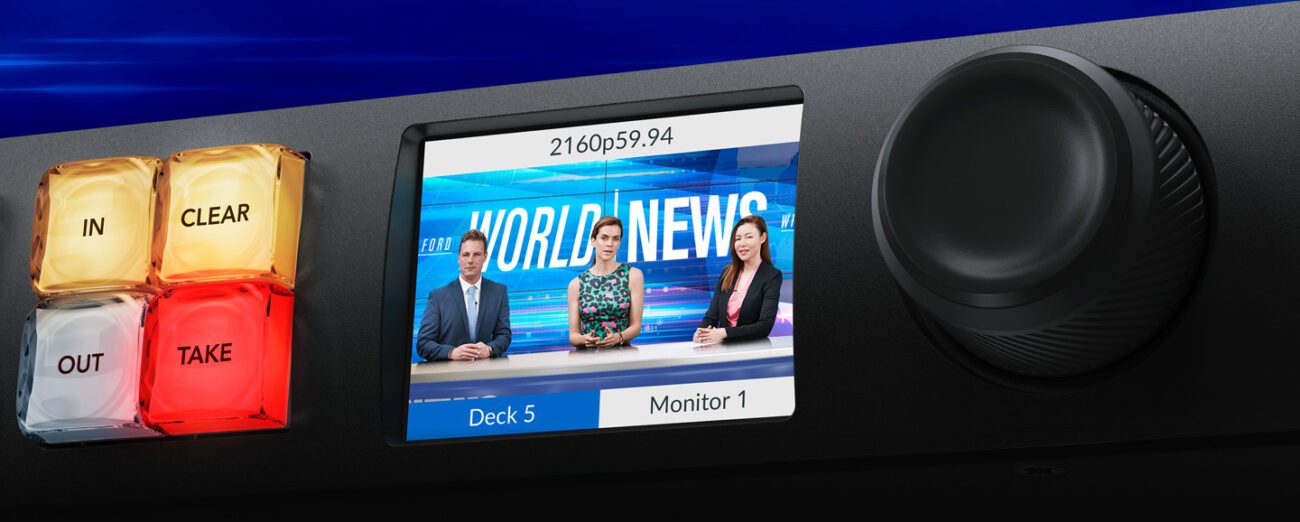
In the early days, user input components like push buttons, T-handles, and knobs were designed with only single physical functions. However, as times have changed, these simple physical operations no longer meet our growing needs. Have you ever wished these components could be a bit smarter?

To make these classic components more intelligent, we can opt for addressable LED push buttons, LCD display knobs, and OLED/LCD push buttons. And if you want to give your device a more attractive look, trying out an LCD display could be the perfect solution.

This article explores how integrating LCD screens into existing devices can revolutionize their functionality and user experience in four key areas: mixing consoles, broadcast control panels, smart home devices, and electronic music equipment.

1. Mixing Consoles

Better Visual Feedback

Imagine you’re an audio engineer working on a live event. With an LCD screen integrated into your mixing console, you get real-time visual feedback that’s clear and precise. This helps you monitor and adjust audio levels, equalization settings, and other critical parameters with unmatched accuracy. The vibrant display of an LCD screen ensures you make the best adjustments, leading to superior sound quality for the audience.

Customizable Interface

An LCD screen offers you the flexibility to customize your interface according to your needs. In the dynamic environment of live sound, this customization is invaluable. You can program the screen to display various functions, making your workflow more efficient and reducing the time needed for extensive training. This way, you spend less time figuring out the controls and more time perfecting the sound.

Streamlined Ergonomics

Traditional mixing consoles can be cluttered with numerous knobs and faders, which can be overwhelming. Adding an LCD screen can simplify the layout, making it more intuitive and user-friendly. This ergonomic enhancement not only reduces the likelihood of errors but also enhances your overall experience, allowing you to work more efficiently and comfortably.

2. Broadcast Control Panels

Real-Time Monitoring

In the high-stakes world of broadcasting, real-time monitoring is crucial. With an LCD screen on your control panel, you can monitor video feeds, manage broadcasting schedules, and control production elements with exceptional precision. This capability is vital for ensuring that everything runs smoothly and without errors during live broadcasts.

Increased Reliability

LCD screens are known for their reliability, making them a perfect fit for broadcast control panels. They are durable and long-lasting, which means fewer replacements and repairs. This reliability is essential in broadcasting, where any technical glitch can have significant consequences. With an LCD screen, you can trust that your equipment will perform consistently.

Enhanced User Experience

LCD screens enhance the user experience by offering intuitive controls and easy-to-read displays. This makes it easier for you to access and manage various functions, allowing you to respond quickly to changes and issues. This ease of use is particularly important during live broadcasts, where quick decisions are often necessary.

3. Smart Home Devices

User-Friendly Interfaces

Integrating LCD screens into your smart home devices provides you with user-friendly interfaces that simplify interaction. Whether you’re adjusting the thermostat, monitoring your security system, or controlling home automation, LCD screens offer clear and straightforward controls. This makes managing your smart home easier and more intuitive.

Real-Time Data Display

One of the key advantages of LCD screens in smart home devices is the ability to display real-time data. You can see up-to-date information on energy consumption, security alerts, and other important metrics. This transparency helps you make informed decisions about your home’s operation and security, enhancing your control and peace of mind.

Customization and Personalization

LCD screens allow for a high degree of customization and personalization. You can set up your smart devices to display the information most relevant to you, creating a tailored user experience. This flexibility makes your smart home system more appealing and useful, encouraging wider adoption and integration into your daily life.

4. Electronic Music Equipment

Synthesizers: Enhanced Parameter Control

Imagine you’re in the middle of creating a complex soundscape. An LCD screen on your synthesizer provides a clear, detailed view of all your parameters. This allows you to make precise adjustments to oscillators, filters, and envelopes with ease. The real-time visual feedback ensures that you can fine-tune your sounds to perfection, leading to a more polished and professional production.

Drum Machines: Real-Time Sequencing

In electronic music, drum machines are essential for creating beats and rhythms. An LCD screen on your drum machine offers real-time sequencing capabilities, allowing you to see your patterns and loops clearly. This visual representation makes it easier to arrange and edit your beats, leading to more dynamic and intricate rhythms.

DJ Controllers: Visual Feedback

For DJs, visual feedback is crucial. An LCD screen on your DJ controller provides you with essential information such as track waveforms, cue points, and BPM. This allows you to mix tracks more accurately and creatively. The clear display helps you make seamless transitions and beatmatching, elevating your performance to a professional level.

Audio Interfaces: Detailed Monitoring

Audio interfaces are the backbone of any music production setup. An LCD screen on your audio interface provides detailed monitoring of your input and output levels. This ensures that you can keep an eye on your levels, preventing clipping and ensuring a clean recording. The real-time feedback is invaluable for maintaining the highest audio quality.

Conclusion

Adding LCD screens to your existing equipment can bring about numerous benefits across various fields. For mixing consoles, they provide better visual feedback, customizable interfaces, and streamlined ergonomics. Broadcast control panels benefit from real-time monitoring, increased reliability, and an enhanced user experience. Smart home devices gain user-friendly interfaces, real-time data display, and customization options. Lastly, industrial control panels see improvements in operational efficiency, safety, and cost savings.

Embracing LCD technology not only modernizes your equipment but also enhances its functionality and user experience. As technology continues to advance, integrating LCD screens will become increasingly essential in improving efficiency, reliability, and safety across all sectors. So, if you’re looking to upgrade your equipment, consider the significant advantages that LCD screens can offer.
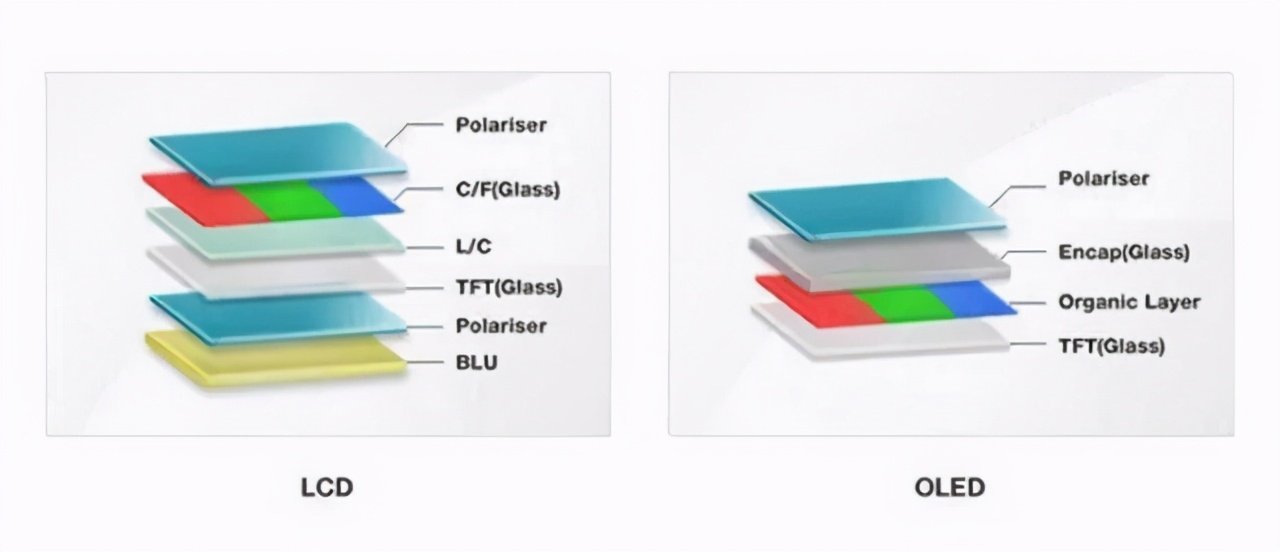
We are thrilled to share the exciting highlights from Lakeview’s participation in the 2024 NAB Show in Las Vegas. This year’s event was an incredible success, and we are proud to have showcased our latest innovations in electronic switches and display solutions. Here are the key highlights from our presence at the show:

Unveiling of Revolutionary LCD Button Switches

One of the main attractions at our booth was the introduction of our new range of LCD button switches. These switches represent a significant leap forward in both functionality and aesthetics. Designed with the user experience in mind, our LCD button switches offer unparalleled versatility and customization options. Visitors were particularly impressed with the intuitive user interfaces and the enhanced visual appeal these switches bring to any device.

Cutting-edge LCD Display Screens

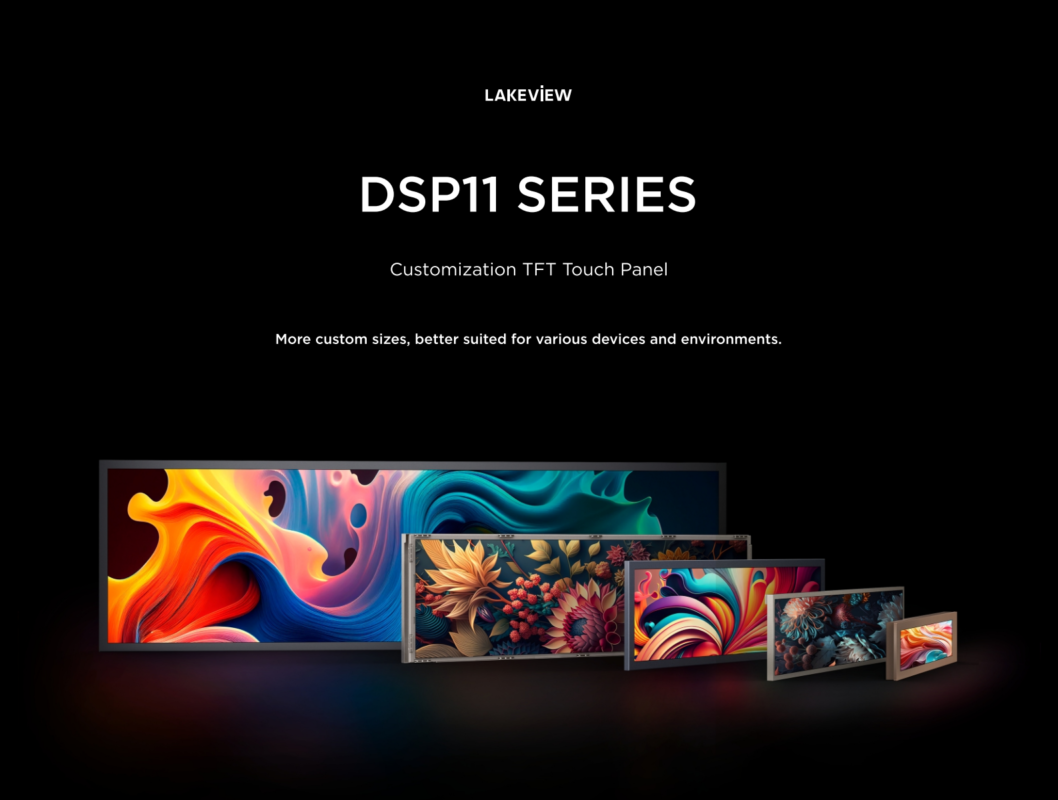
In addition to our button switches, we also showcased our latest LCD display screens. These displays set new standards for clarity, color accuracy, and energy efficiency. Ideal for a wide range of applications, from professional broadcasting equipment to consumer electronics, our LCD displays drew considerable attention for their superior performance and vibrant visuals.

Live Demonstrations and Expert Insights

Our booth featured live demonstrations of our products, allowing attendees to experience firsthand the functionality and benefits of our innovative solutions. Our team of experts was on hand to discuss specific needs and provide insights into how our products can enhance various projects. The interactive demonstrations and one-on-one discussions helped us connect with industry professionals and potential customers.

Networking and Collaborations

The NAB Show provided an excellent platform for networking with industry leaders, professionals, and like-minded individuals. We had the opportunity to exchange ideas, explore potential collaborations, and build relationships that we believe will lead to exciting future projects. The feedback and enthusiasm we received from attendees were incredibly encouraging.

Industry Recognition and Media Coverage

Our participation in the NAB Show did not go unnoticed. We received positive feedback from industry experts and media coverage that highlighted our commitment to innovation and quality.

Looking Forward

The success of our participation in the 2024 NAB Show has energized our team and reaffirmed our dedication to pushing the boundaries of technology and design. We are excited about the future and the new possibilities that our innovative products will bring to the industry.

We want to extend a heartfelt thank you to everyone who visited our booth and supported us at the NAB Show. Your interest and enthusiasm are what drives us to continue innovating and improving. Stay tuned for more updates and exciting developments from Lakeview!

For more information about our products and to stay updated with our latest news, please visit our website and follow us on our social media channels.

We’re thrilled to announce that LAKEVIEW will showcase at the NAB Show 2024 in Las Vegas, the premier global event for the media, entertainment, and technology industry. This year, we are excited to invite you to visit us at Booth C2441, where we will be unveiling our latest innovations that are set to redefine the standards of user interface technology.

Discover Our Latest Innovations

At LAKEVIEW, we are continually pushing the boundaries of what’s possible in the realm of electronic switches and display solutions. For NAB Show 2024, we are proud to introduce two groundbreaking products that embody our commitment to innovation and quality:

Revolutionary LCD Button Switches

First, we’re unveiling a new size range of LCD button switches. These switches represent a significant leap forward in both functionality and aesthetics. Designed with user experience in mind, our new LCD button switches offer unparalleled versatility and customization options. Whether you’re looking to create intuitive user interfaces or enhance the aesthetic appeal of your devices, our new LCD button switches are engineered to meet the diverse needs of our customers.

Cutting-edge LCD Display Screens

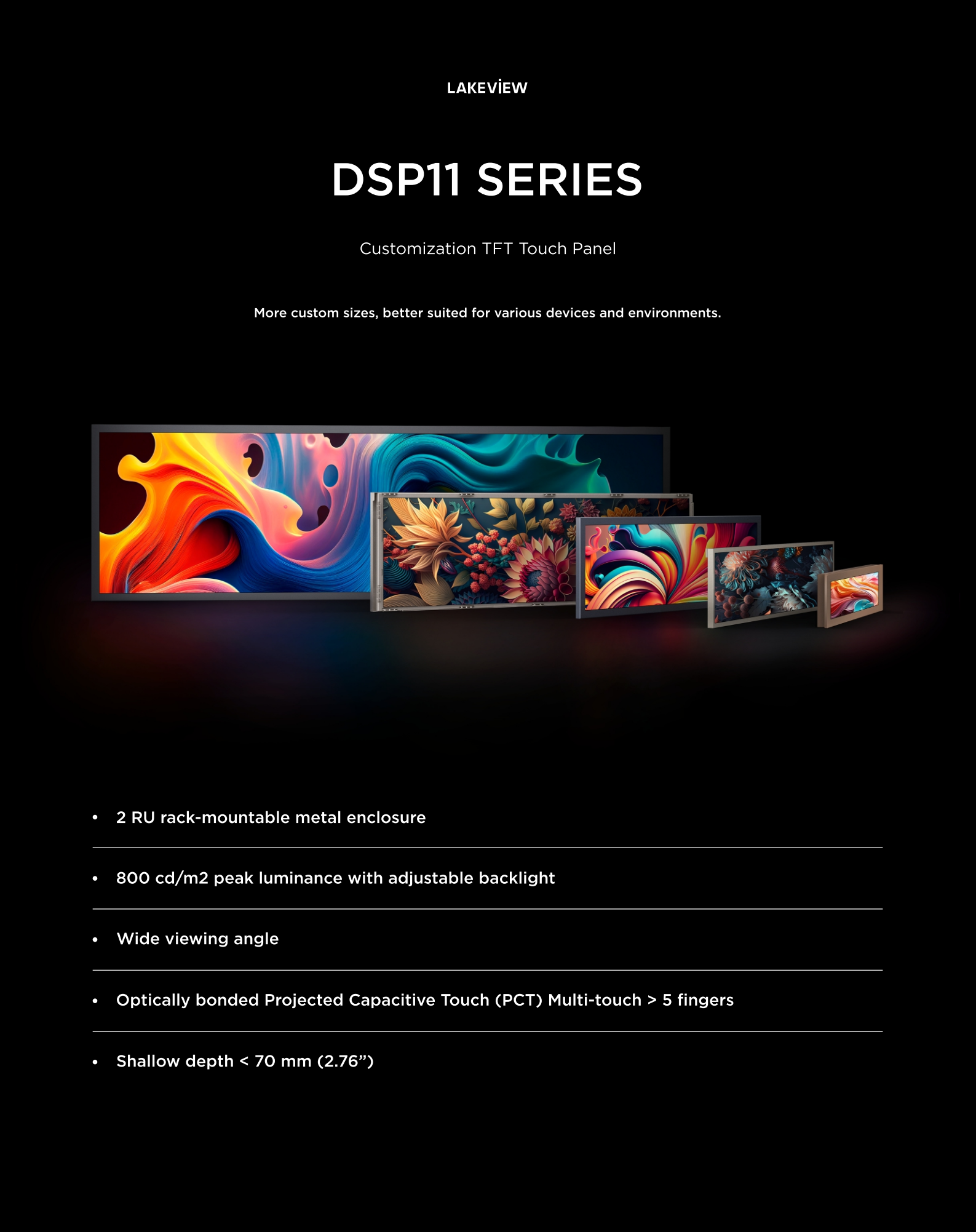
Additionally, we are excited to showcase our latest LCD display screens. These displays set a new standard for clarity, color accuracy, and energy efficiency. Ideal for a wide range of applications, from professional broadcasting equipment to consumer electronics, our LCD displays offer superior performance that can elevate any project.

Why Visit Lakeview Switches at NAB Show 2024?

Visiting our booth at NAB Show 2024 provides a unique opportunity to experience our latest products firsthand. Here’s why you should stop by:

  • Live Demonstrations: See our new LCD button switches and display screens in action. Experience their functionality and how they can enhance your projects.
  • Expert Insights: Our team will be on hand to discuss your needs and how our solutions can meet them. Whether you have specific questions or need advice on your next project, we’re here to help.
  • Networking Opportunities: Connect with industry professionals and like-minded individuals. NAB Show is the perfect place to exchange ideas and explore potential collaborations.

Mark Your Calendar

Don’t miss out on this opportunity to explore the latest trends and technologies in the media, entertainment, and technology sectors. Visit Lakeview Switches at Booth C2441 at the NAB Show 2024 in Las Vegas. We look forward to meeting you and discussing how our innovative solutions can support your ambitions.

Stay tuned for more updates, and follow us on our social media channels to get the latest news about our participation in NAB Show 2024.

Modules are essential components in modular synthesizers, which are a type of synthesizer where individual functions like oscillators, filters, amplifiers, and so on are divided into different modules. These modules can be connected in various ways using patch cables to create complex sounds.

A modular synthesizer is comprised of an array of components including knobs, sliders, LED tactile switches, 3.5mm jacks, patch cables, input and output ports, switches, LED indicators, digital displays, USB ports, Eurorack power connectors, trim pots, IC chips, transistors, capacitors, resistors, and microcontrollers. While each part serves a function within the module’s ecosystem, LED tactile switches play an important role in the control aspect of these modules, offering users a tangible means to interact with their electronic music creations.

What are LED Tactile Switches?

LED tactile switches are a type of push-button that offer a dual sensory experience. They provide a distinct physical response when pressed, thanks to an internal mechanism that gives a ‘click’ feedback. Simultaneously, they incorporate an integrated LED to deliver visual feedback. This combination of tactile and visual cues makes them exceptionally useful in scenarios where both physical interaction and visual indicators are essential. These switches are ideal for environments where clear and immediate feedback is crucial, enhancing both functionality and user experience.

In modular synthesizers, LED tactile switches serve multiple purposes:
  1. Visual Feedback: The LED provides immediate visual feedback that is especially useful in live performance situations, where lighting conditions may not be ideal. Musicians can easily see which parts of the synthesizer are active, and the color coding can further assist in navigation.
  2. Tactile Response: The tactile nature of the switch allows for precise control over the synthesizer’s functions. When programming a patch or performing live, the accurate response of a tactile switch is essential for nuanced adjustments.
  3. Aesthetic and Functional Design: Modules with LED tactile switches often follow a design philosophy that marries form and function. These switches contribute to a clean and modern aesthetic while maintaining the practicality of use.
  4. Durability: High-use environments like music studios and performance venues demand hardware that can withstand constant interaction. LED tactile switches are designed to endure, ensuring that modules retain their functionality over time.
The TL1 Series in the Spotlight

The TL1 Series of LED tactile switches are widely used in Modules for their reliability and the bright, clear illumination they provide, making Modules easier to access and operate and helping to enhance the overall user experience.

The Future of Modular Synthesis

As modular Modules continue to evolve, the importance of components such as the TL1 series of LED tactile switches becomes increasingly apparent. They are small but critical elements that contribute to the greater whole, enabling musicians and producers to bring their aural visions to life with clarity and precision.

Conclusion

While they may only be part of what makes up Modular Modules, LED tactile switches like the TL1 series play a crucial role in the design and function of these fascinating instruments.

If you want LED tactile switches to help you add to your modules welcome to contact us.
If you would like more people to see this article, please feel free to forward it to the social media platforms below.

Click here to view related products

What is a Push Button Switch?

A push button switch is a simple type of switch mechanism that controls some aspect of a machine or a process. It is typically a button that, when pressed, activates or deactivates an electrical circuit. These switches are common in everyday devices and machinery, ranging from household appliances to industrial equipment.

Key characteristics of push button switches include:

  1. Operation Mechanism: The button actuates an electrical contact when pressed, and the contact returns to its original position when the button is released. Some push button switches lock in position when pressed and require another push for release (latching switch), while others return to their initial position immediately after release (momentary switch).
  2. Applications: Push button switches are used for a variety of applications such as starting or stopping machines, turning lights on or off, and triggering alarms. They are found in a vast array of devices including elevators, intercom systems, and electronic toys.
  3. Types: There are numerous types of push button switches, which can vary in terms of size, color, shape, and functionality. Some are designed for heavy-duty industrial applications, while others are suited for delicate electronic devices.
  4. LED Push Button Switches: These are push button switches integrated with an LED (Light Emitting Diode) to indicate the status of the switch or to provide illumination for easier location and operation in low-light conditions.
  5. Design and Customization: Modern push button switches can be customized in terms of aesthetics and functionality, including aspects like color, labeling, and the force needed to activate the switch.

Overall, push button switches are an integral part of many electronic and electromechanical systems, valued for their simplicity, reliability, and ease of use.

Push to Make or Push to Break Switch?

  1. Push to Make (Normally Open) Switch:
    • This type of switch is also known as a “Normally Open” (NO) switch.
    • In its default state, the circuit is open, and no current flows.
    • When the button is pressed, it completes the circuit (makes the circuit), allowing current to flow.
    • Upon release, the switch returns to its open state, breaking the circuit.
    • Common uses include starting a process, such as turning on a light or activating a machine.
  2. Push to Break (Normally Closed) Switch:
    • Conversely, this type is known as a “Normally Closed” (NC) switch.
    • In its default state, the circuit is closed, and the current is flowing.
    • Pressing the button breaks the circuit, stopping the flow of current.
    • When the button is released, the switch returns to its closed state, resuming current flow.
    • These are often used in applications like emergency stop controls where pressing the switch stops a process or deactivates a machine.

Understanding the difference between these two types of switches is crucial for their correct application in electrical circuits and devices. The choice between a “Push to Make” and a “Push to Break” switch depends on the specific requirements of the circuit and the desired outcome when the switch is activated.

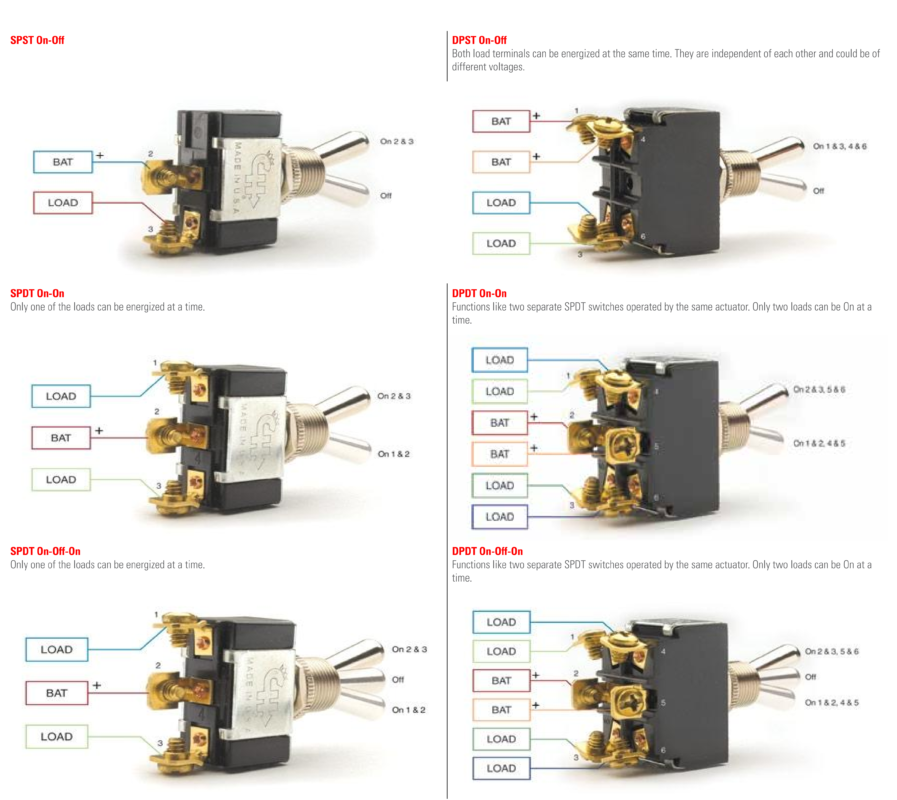
Switches are categorized by their “poles” and “throws,” which describe the number of separate electrical circuits they can control and the number of positions they can connect to each circuit, respectively. Here are the main types:

Poles and Throws

  1. SPST (Single Pole Single Throw):
    • This is the simplest type of switch.
    • “Single Pole” means it controls only one electrical circuit.
    • “Single Throw” means it has only two positions – on or off (open or closed).
    • Commonly used for basic on/off functions.
  2. SPDT (Single Pole Double Throw):
    • Controls one circuit, but can connect it to one of two positions.
    • Has three terminals: one common terminal and two for the two positions.
    • Can function as an on-off-on switch, allowing the device to switch between two separate circuits.
  3. DPST (Double Pole Single Throw):
    • This type has two poles, so it can control two separate circuits simultaneously.
    • “Single Throw” means both circuits are either on or off together.
    • Often used in applications where two circuits need to be activated or deactivated simultaneously.
  4. DPDT (Double Pole Double Throw):
    • Can control two circuits, switching between two positions for each.
    • Has six terminals (two for each pole, plus two common ones).
    • Useful for switching between two power sources or for reversing the direction of motors.
  5. 3PDT (Triple Pole Double Throw) and 4PDT (Four Pole Double Throw):
    • Similar to DPDT but with three or four poles, respectively.
    • Can control multiple circuits, with two positions for each.
    • Common in more complex electrical systems.

Momentary or Latching function

A momentary switch only works when there is a force pressing the button, once this force is removed the switch is no longer engaged. A latching switch maintains the state once pressed until the push button is pressed again to release the switch.

Tactile switch and Push button switch

  1. Tactile Switch (Tact Switch):
    • A small, momentary switch mechanism, usually used on PCBs (Printed Circuit Boards).
    • Provides tactile feedback when pressed, often with a noticeable ‘click’.
    • Typically used for low power, low voltage applications like in keyboards, remote controls, or user interfaces.
  2. Push Button Switch:
    • A button that, when pressed, activates or deactivates an electrical circuit.
    • Comes in various forms: momentary (returns to its initial state when released) or latching (stays in its new state until pressed again).
    • Used in a wide range of applications, from simple household devices to complex industrial machinery.

If you want to find out more about Tactile switches and Push button switches please click here.

Still overwhelmed? Contact our sales engineers today, we can help guide you to select the right switch for your project!

In the world of electronic components, the terms ‘tactile switch’ and ‘push button switch’ are often heard, but understanding their differences and specific uses can be confusing. Here, we delve into the nuances of these two popular types of switches.

1. What Are Push Button Switches? Push button switches are mechanical switches used to control the flow of electric current in an electronic circuit. When pressed, they either make or break an electrical connection, allowing or interrupting the flow of electricity through the circuit. These switches are versatile and come in various shapes and sizes, tailored for different applications.

Types and Functionality Push button switches are broadly categorized into two types:

  • Momentary: These switches connect or disconnect the circuit only while being pressed. Upon release, the circuit returns to its original state.
  • Latching: These have two stable states. The switch remains in its new state until pressed again, either maintaining an open or closed circuit.

Applications and Advantages Push button switches are intuitive and easy to operate, often customized to suit specific applications. They are durable, designed for a large number of actuations, and in many cases, incorporate visual indicators like LEDs.

However, they are typically designed for simpler on/off control and may not suit applications requiring variable control.

If you want to view led push button switches products please click here.

2. What Are Tactile Switches?

Tactile switches are designed to provide feedback upon actuation. When pressed, they offer a noticeable ‘click’ or resistance, assuring the user that the switch has been activated. This tactile feedback is crucial in applications where precise control is necessary, helping to prevent accidental presses.

Key Features

  • Momentary Action: Like momentary push button switches, tactile switches make or break connections only while pressed.
  • Design and Use: They are typically smaller and used in low-power, low-voltage applications like remote controls or keyboards.

Comparing Tactile and Push Button Switches While both are mechanical switches used for controlling electrical circuits, their design, functionality, and tactile feedback differ significantly. Push button switches can vary in their tactile response, with some offering a click similar to tactile switches, while others have a smoother, quieter actuation.

3. Choosing the Right Switch Selecting between a tactile switch and a push-button switch depends on the specific needs of your application. For high-precision, low-voltage environments where feedback is crucial, tactile switches are ideal. On the other hand, push button switches are better suited for more straightforward on/off applications and can be used in a wider range of environments due to their varying designs and functionalities.

In conclusion, both tactile and push-button switches play vital roles in electronic circuits. Understanding their differences and applications ensures the right choice for your specific needs, enhancing both functionality and user experience​​.

If you want to view led tactile switches products please click here.

Shopping Cart

Get In Touch

Request A Quote